 العربية
 Deutsch
 English
 Español
 Français
 Italiano
 Português
 Русский
 Türkçe
 Tiếng Việt


Digital Color Models for Web Design: HEX, RGB, HSL, and Modern OKLCH Explained
How monitors render pixels, mathematical color conversions, and mastering WCAG accessibility contrast.
 By LinkeFly Editorial Team
Color is the most immediate emotional touchpoint in digital interface design. Yet under the glass of modern monitors and mobile screens, color is not a continuous fluid medium; it is a precise mathematical coordinate system. Web developers and graphic designers navigate multiple color spaces—from legacy 24-bit HEX codes to human-centric HSL and next-generation wide-gamut OKLCH models.
Selecting the right color model impacts stylesheet maintainability, programmatic animation performance, design token architecture, and legal accessibility compliance under WCAG 2.1 standards. In this guide, we demystify digital color science, explain mathematical conversion formulas, and demonstrate how to build robust web color palettes.
1. The Primary Web Color Models Compared
Every digital color format attempts to solve a distinct problem in the software development lifecycle:
A. Hexadecimal (HEX): Compact and Universal
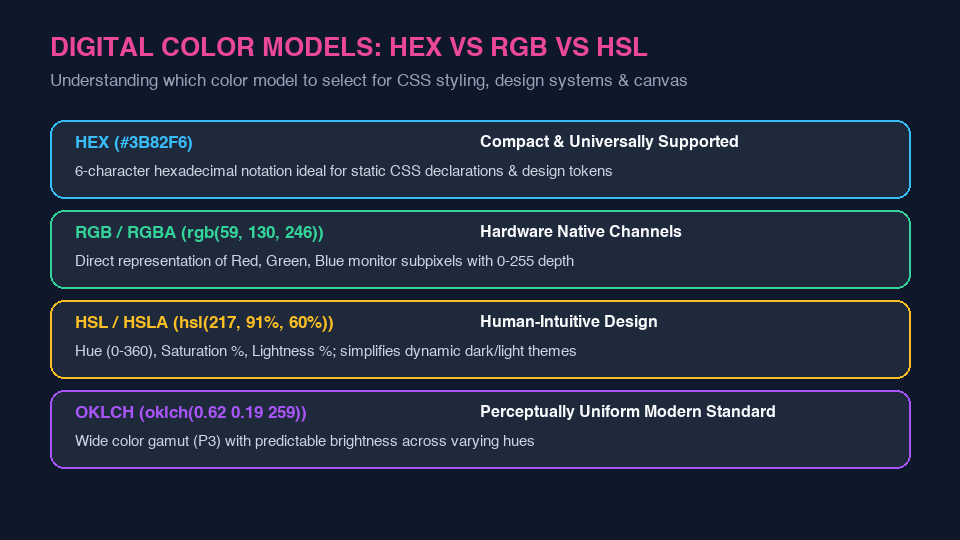
HEX notation represents colors as a 6-digit hexadecimal string prefixed with a hash (e.g. #3B82F6). Each byte (two hex characters from 00 to FF) specifies the intensity of Red, Green, and Blue subpixels on a scale of 0 to 255. An optional 8-digit variant (#3B82F6CC) encodes alpha transparency. HEX is extremely compact and universally supported across CSS, SVG, canvas, and legacy design tools.
B. RGB / RGBA: Hardware Native Representation
The RGB model directly maps to the physical emissive cathode/OLED subpixels of hardware monitors: rgb(59, 130, 246). When alpha channel transparency is added (rgba(59, 130, 246, 0.8)), it instructs the GPU compositor to blend the foreground color with the background layer using standard alpha compositing formulas.
C. HSL / HSLA: Cylindrical Human Intuition
While RGB is mathematically convenient for computer graphics cards, it is deeply counterintuitive for human designers. If asked to make rgb(59, 130, 246) slightly darker, a developer cannot easily determine which numbers to adjust. HSL re-maps RGB into a cylindrical coordinate system:
- Hue (0° – 360°): The radial color angle on the color wheel (0° Red, 120° Green, 240° Blue).
- Saturation (0% – 100%): Purity of the pigment, where 0% is complete grayscale and 100% is vibrant pigment.
- Lightness (0% – 100%): Luminance, where 0% is pure black, 50% is standard tone, and 100% is pure white.
2. WCAG Contrast Compliance and Visual Accessibility
Building beautiful palettes is useless if low-vision users cannot read your content. The Web Content Accessibility Guidelines (WCAG 2.1) mandate strict relative luminance contrast ratios between text and background surfaces:
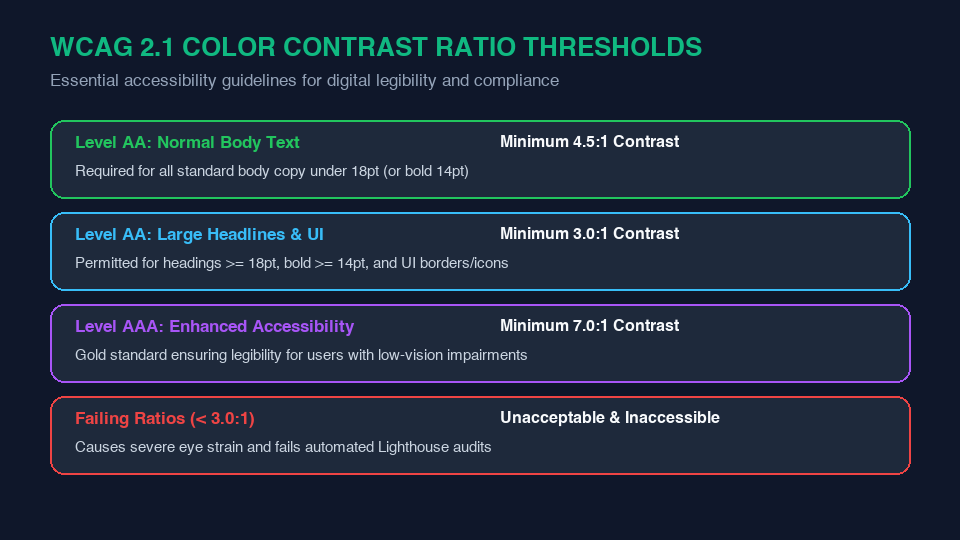
- Level AA (Minimum Standard): Requires a contrast ratio of at least 4.5:1 for normal body text (under 18pt), and at least 3.0:1 for large text (>= 18pt or bold >= 14pt) and UI components.
- Level AAA (Enhanced Accessibility): Requires an aggressive 7.0:1 ratio for normal text and 4.5:1 for large text.
Convert Colors Effortlessly on LinkeFly
Need to convert HEX codes into RGB arrays, extract HSL values for dynamic CSS variables, or find complementary color harmonies? Utilize the powerful LinkeFly Color Converter, HEX to RGB Tool, and RGB to HEX Tool completely free.
Frequently Asked Questions (FAQ)
#38B expands by duplicating each character, resulting in #3388BB. It does not append zeros (it is not #38B000).