 العربية
 Deutsch
 English
 Español
 Français
 Italiano
 Português
 Русский
 Türkçe
 Tiếng Việt


The Complete Favicon and App Icon Guide: Multi-Resolution ICO, SVG, and Web App Manifests
How to support desktop browsers, iOS home screen bookmarks, Android PWAs, and Windows taskbars.
 By LinkeFly Editorial Team
A favicon is often a mere 16 by 16 pixels in size, yet it is one of the most critical brand touchpoints on the modern web. It appears in browser tabs, bookmark bars, search engine mobile results pages, iOS home screen home widgets, and progressive web app (PWA) splash screens. A missing or broken favicon makes a website look abandoned, harms brand credibility, and triggers hundreds of 404 error entries in server access logs.
However, modern multi-device icon architecture is surprisingly nuanced: gone are the days of dropping a single 16x16 bitmap into the root folder. Today, webmasters must orchestrate multi-resolution .ICO containers, vector SVG icons with dark-mode media queries, and JSON Web App Manifests. In this definitive guide, we outline the complete favicon suite for modern web applications.
1. The Multi-Device Favicon Specification
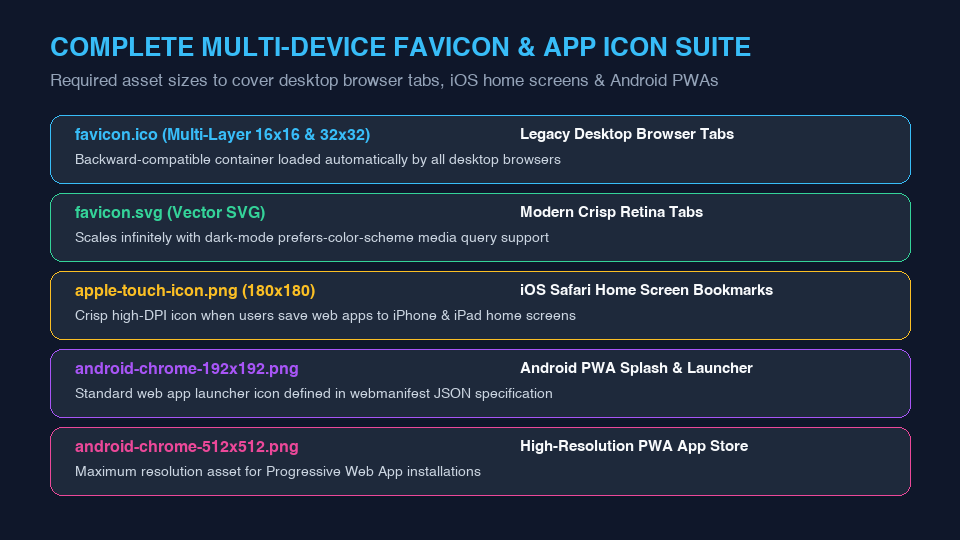
To deliver crisp, unpixelated icons across all devices without wasting bandwidth, web applications must deploy this streamlined set of icon assets:
A. favicon.ico (Multi-Resolution Container)
The .ico format is an extensible container capable of packaging multiple bitmap layers inside a single file. A production-ready favicon.ico should bundle exactly two sizes:
- 16 x 16 pixels: Displayed in desktop browser tabs and address bars.
- 32 x 32 pixels: Displayed in browser bookmark menus and Windows taskbars.
B. favicon.svg (Modern Vector Standard)
Modern browsers (Chrome, Edge, Firefox) prioritize vector SVG icons when available. SVG icons scale infinitely to high-DPI displays and support dynamic CSS media queries to automatically adapt colors for users who prefer dark mode:
<svg xmlns="http://www.w3.org/2000/svg" viewBox="0 0 100 100">
  <style>
    circle { fill: #38bdf8; }
    @media (prefers-color-scheme: dark) {
      circle { fill: #818cf8; }
    }
  </style>
  <circle cx="50" cy="50" r="45" />
</svg>
C. apple-touch-icon.png (180x180)
When an iPhone or iPad user taps "Add to Home Screen" in Safari, iOS looks specifically for an apple-touch-icon.png. Providing a crisp 180x180 PNG ensures your web app looks identical to a native iOS app on retina displays.
2. Browser Tab Rendering and Cache Invalidation
Browsers cache favicons aggressively—often indefinitely—to prevent redundant network requests every time a user opens a new tab:
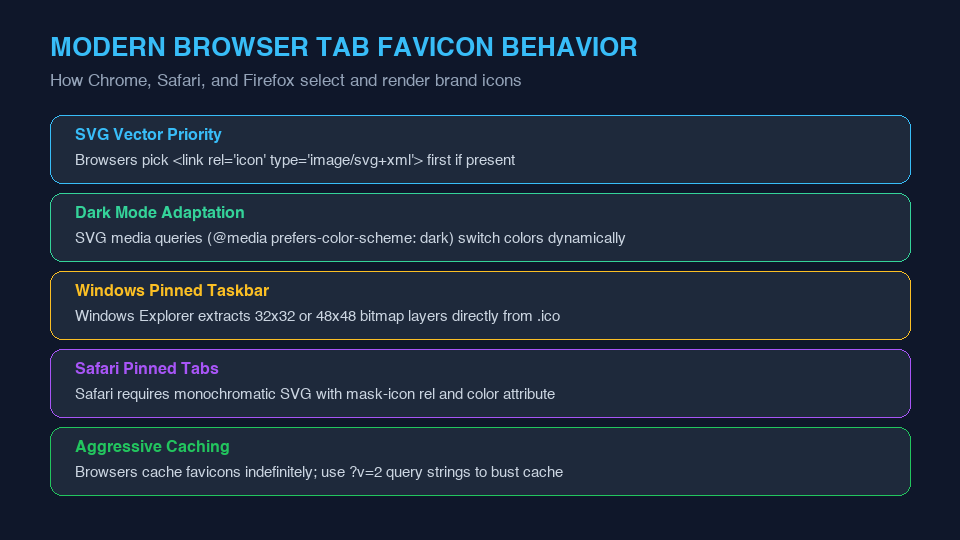
When updating your website's logo, bust local browser caches by appending a version query string to your HTML declaration:
<link rel="icon" href="/favicon.ico?v=2" sizes="any">Convert PNGs to Multi-Layer ICO Files
Need to generate clean, multi-resolution .ico icons from your high-res PNG logo, or extract PNG frames from existing ICO files? Utilize LinkeFly's free client-side ICO Converter and ICO to PNG Tool for instant conversions.
Frequently Asked Questions (FAQ)
.ico file possesses a specific binary header (00 00 01 00) and a directory of embedded image bitmaps. Renaming a PNG causes parsing errors in legacy Windows browsers. Always use a proper ICO converter.favicon.ico directly in the root directory (/favicon.ico). Many crawlers, RSS readers, and legacy bots will check the root path directly without parsing your HTML <head> tags.